Clients buy cameras. They expect you to watch them.
Every renewal cycle, more of your clients show up with more cameras. The warehouse added a yard view. The apartment complex put domes on every stairwell. The office park wired the parking deck. The contract asks your guard company to “monitor the cameras” as part of the post, and the price does not move much. Your guard at the desk now has four client dashboards cycling across two screens, a radio, a visitor log and a patrol round due on the hour.
That is the real gap in guard company camera monitoring. Nobody can stare at thirty quiet tiles for an eight-hour shift and catch the one that matters. When something does happen, the client’s first question is what your guard saw, and the answer is often “we pulled the footage afterwards.” That hurts at renewal, and it hands the account to the competitor who promises remote monitoring.
Where guard companies lose time and contracts.
- Every client runs different camera software. One site is on a big-name VMS, another on an NVR web page, another on a cloud camera app. Integrating analytics into each one is a project you cannot staff.
- Coverage is invisible. When a layout cycles, the guard sees a different set of cameras. Nobody records which views were actually on screen when an event happened.
- Evidence is manual. Incident reports get written from memory, then someone scrubs through recordings to find the clip the client wants.
- Nuisance activity burns out guards. The same parked car, the cleaning crew, trees at night. If alerts fire on everything, guards stop looking.
How Semaphor fits your guard company.
Semaphor is AI video monitoring built for the guard’s screen, not the camera vendor’s back end. It captures the monitoring display, separates the camera panes and gives each view its own identity so it can follow cameras as layouts cycle and rearrange. A camera that cycles off screen is marked unobserved, never assumed quiet, so you always know what was actually covered.
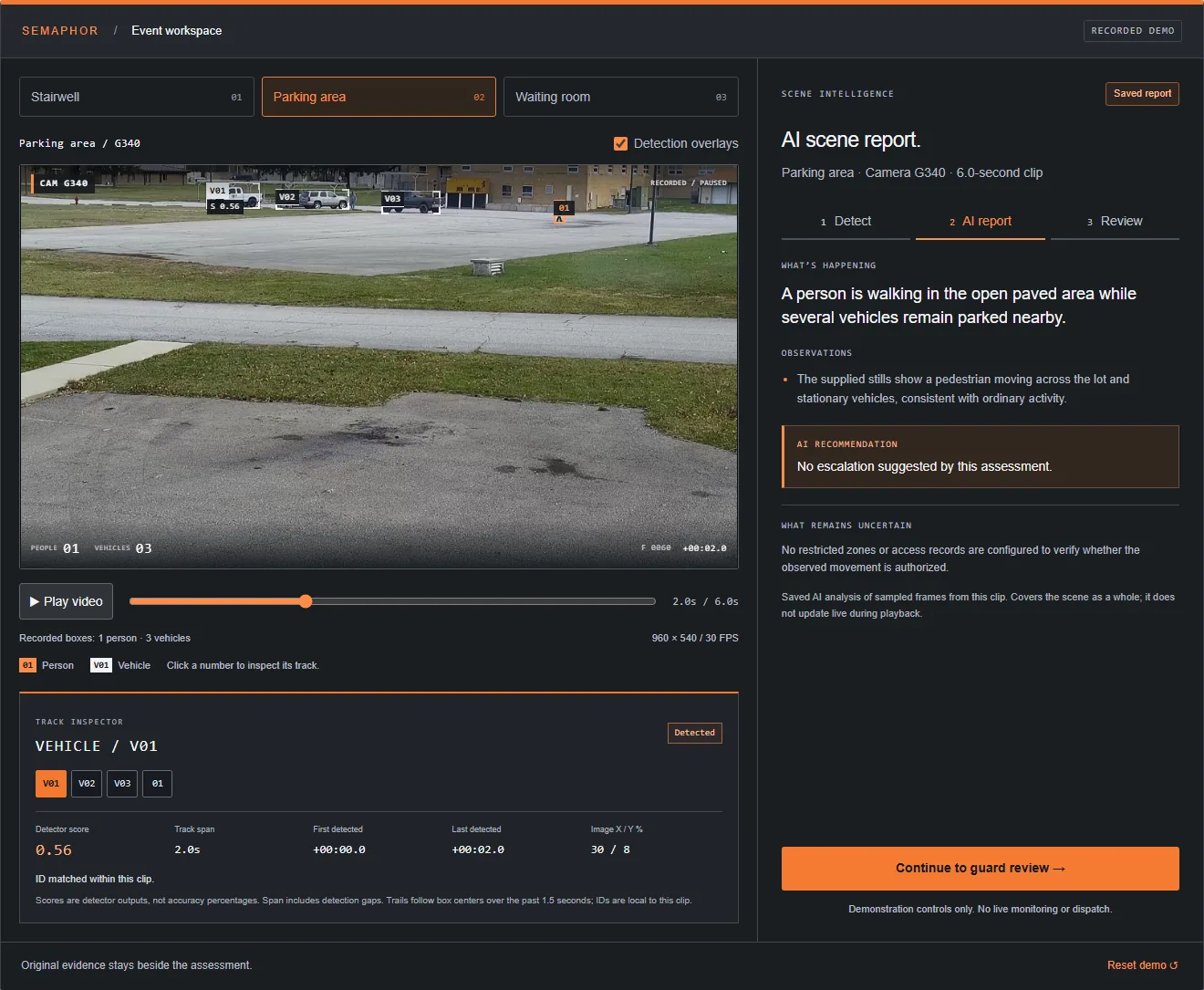
Local person and vehicle detection finds the activity worth a look. A preliminary alert lands in the guard inbox right away, then a vision-language model adds a short scene report: what is happening, what it noticed, what it recommends and what remains uncertain. Duplicate suppression and cooldowns keep the same parked car from alerting all night. The guard acknowledges, reviews the evidence and decides. Semaphor never dispatches on its own.
Keep the camera software your clients already use. Semaphor works from the rendered screen, so a new client site is a new window on the monitoring station, not a new integration.
Evidence your clients can see.
Every alert keeps the original frames beside the AI assessment, with exact SHA-256 and perceptual hashes on each image and exportable JSON manifests. That means your incident reports start from the actual pixels, time-stamped, not a guard’s recollection. See evidence and audit trail and our guide to incident report video evidence. For clients, that turns “we monitor your cameras” into something you can show at the quarterly review.
Cover more client cameras with the guards you have.
Your margin lives in guard hours. Semaphor does not replace the guard; it changes what the guard spends attention on. Instead of watching every tile equally, the guard works an inbox sorted Critical, High, Unassessed and Low, with the evidence already attached. That is how a single desk covers more cameras without more guards, and how you bid on camera-heavy sites like warehouses and yards, construction sites and apartment communities with confidence. The guide on covering more cameras without more guards goes deeper.
How to start.
Pick one station.
Choose the desk or monitoring station that carries the most client cameras today. That is where the difference shows first.
Run it on real shifts.
We set Semaphor up on that screen and confirm capture quality, layouts and the events your post orders care about.
Measure, then expand.
Compare missed events, nuisance alerts, response delay and evidence review time. Roll out to more sites on the results.
Everything about the pilot is on the start a pilot page. Or skip ahead and book a live demo on your own camera screens.
Already running guard management software for scheduling and tours? See guard management software vs. AI monitoring for how the two work together, and how to grow recurring revenue with remote monitoring.
Guard company questions.
Do we need access to each client’s VMS or camera credentials?
No. Semaphor observes the monitoring screen your guard already has open. No camera passwords, no vendor API, no changes to the client’s system.
Does the AI make the call to dispatch or contact the client?
No. The guard decides. AI assessments are supporting context shown beside the original evidence, and the guard acknowledges and closes every alert.
Will it flood my guards with alerts?
It is built to do the opposite. Duplicate suppression, cooldowns and priority levels keep repeated activity on one card instead of a stream of new ones.
Is this only for large guard companies?
No. It is priced for operators who cannot justify premium enterprise platforms. See Semaphor for small security companies.