What guards actually watch on a campus.
A corporate campus or multi-building office park is a small city on camera. There are lobby cameras in every building, badge-controlled doors and turnstiles, loading docks, data rooms and labs, parking structures, shuttle stops, perimeter roads, walking paths and outdoor common areas. Operators in a global or regional security operations center watch it on a video wall, often alongside other sites in other time zones, with alarms from access control arriving in a separate console.
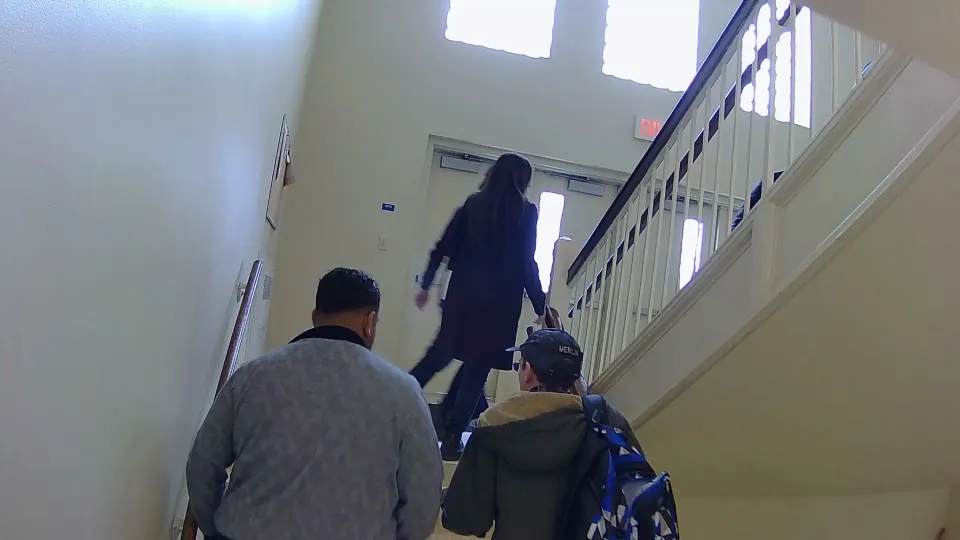
Campus post orders run on the business day. Between morning arrival and evening departure, the focus is on access: tailgating at secured doors, visitors wandering beyond the lobby, doors propped open, unfamiliar vehicles in executive parking. After hours, the campus should empty out except for known late workers, cleaning crews and facilities staff, and the focus shifts to anyone on the grounds, at the perimeter, or inside buildings that should be closed.
The events that matter, and the ones that don’t.
Campus cameras see thousands of ordinary moments a day: employees walking between buildings, lunch crowds in the courtyard, shuttles arriving on schedule, landscaping crews in the morning. None of it needs an operator. Door-held and door-forced alarms from access control add a second stream that operators have to verify against video, and most of those turn out to be someone holding the door for a colleague with a cart.
What matters:
- People following someone through a secured door. Our guide to tailgating at access doors covers how operators review it on video.
- Anyone in a building, garage level or data room area after it should be empty.
- Vehicles stopping on perimeter roads, at fence lines or at the loading dock outside delivery windows.
- People gathering at entrances, or someone on the ground in a parking structure or walkway.
What your guards watch
- Lobbies, turnstiles and badge-controlled doors.
- Loading docks, data rooms and labs.
- Parking structures and shuttle stops.
- Perimeter roads, paths and common areas.
- A video wall shared with other sites.
What Semaphor surfaces
- People and vehicles across every building’s cameras, from one screen.
- After-hours presence in spaces that should be closed.
- A fast preliminary alert, then an AI scene report on the same card.
- Critical and High events ahead of routine campus traffic.
- A clean record of what was reviewed for the next shift.
Why campus cameras are hard to monitor.
Scale and the video wall.
A campus camera count easily outruns what a few operators can watch. Walls rotate through camera groups on a schedule, which means any given camera is unwatched most of the time. Semaphor follows each camera view as layouts cycle and marks off-screen time as unobserved, so operators know what was covered and what wasn’t. Our guide on how many cameras one guard can monitor covers the human side of that problem.
Different systems in different buildings.
Campuses grow by acquisition and new construction, so older buildings often run different cameras or a different VMS than the new tower. Semaphor reads the rendered camera views on the monitoring screen rather than connecting to each vendor, so mixed systems are not a blocker. See works with existing camera software.
Security review before anything touches the network.
Corporate IT teams want to know where video goes. Semaphor can run inference locally, or on hosted compute over verified HTTPS with authentication and optional mutual TLS. No camera credentials are required, and there is no facial recognition. Details in security and privacy.
Built for the operations center workflow.
GSOC operators already live in consoles. Semaphor adds one that respects how they work: alerts arrive first through alert-first review, so the operator sees activity immediately; the AI scene report follows on the same card with what is happening, what is uncertain and whether review is suggested; the operator acknowledges, reviews evidence and closes. Every decision stays with the operator. At shift change, the inbox is the record of what was reviewed and closed, which our security shift handoff guide builds on.
Semaphor doesn’t replace your GSOC platform or your VMS. It sits on the monitoring screen your operators already watch and makes that screen smarter.
How it fits your operation.
Read what Semaphor is for the full loop, and see Semaphor for GSOCs for how it fits a corporate security program.
Campus and office monitoring FAQ.
Does Semaphor integrate with our access control system?
It doesn’t need to. Semaphor works from the camera views on your monitoring screen. Operators combine its alerts with the door alarms they already receive.
Can we keep video processing on-premises?
Yes. Detection runs locally, and the vision-language model can run locally too. Hosted inference is an option over authenticated, verified HTTPS with optional mutual TLS.
How would we evaluate it on our campus?
Start with one monitoring station and a set of cameras your operators know well, then measure missed events, nuisance alerts, response delay and review time before expanding.
Running a campus security operation? Book a live demo on your own camera screens or start a pilot.